
Form SMSH-220 · Site Preparation Handbook
Making Maps
Everything in S.M.A.S.H. Co. is data. A map is a JSON file: what stands on the ground, what the ground is, and what happens when a player breaks the right thing. You never write code — you place objects and wire up triggers, and the game does the rest.
Your first site
Open the Map Editor, hit + New map, and give
it a Level id in snake_case — that becomes the filename, so
rust_belt_yard, not Rust Belt Yard!.
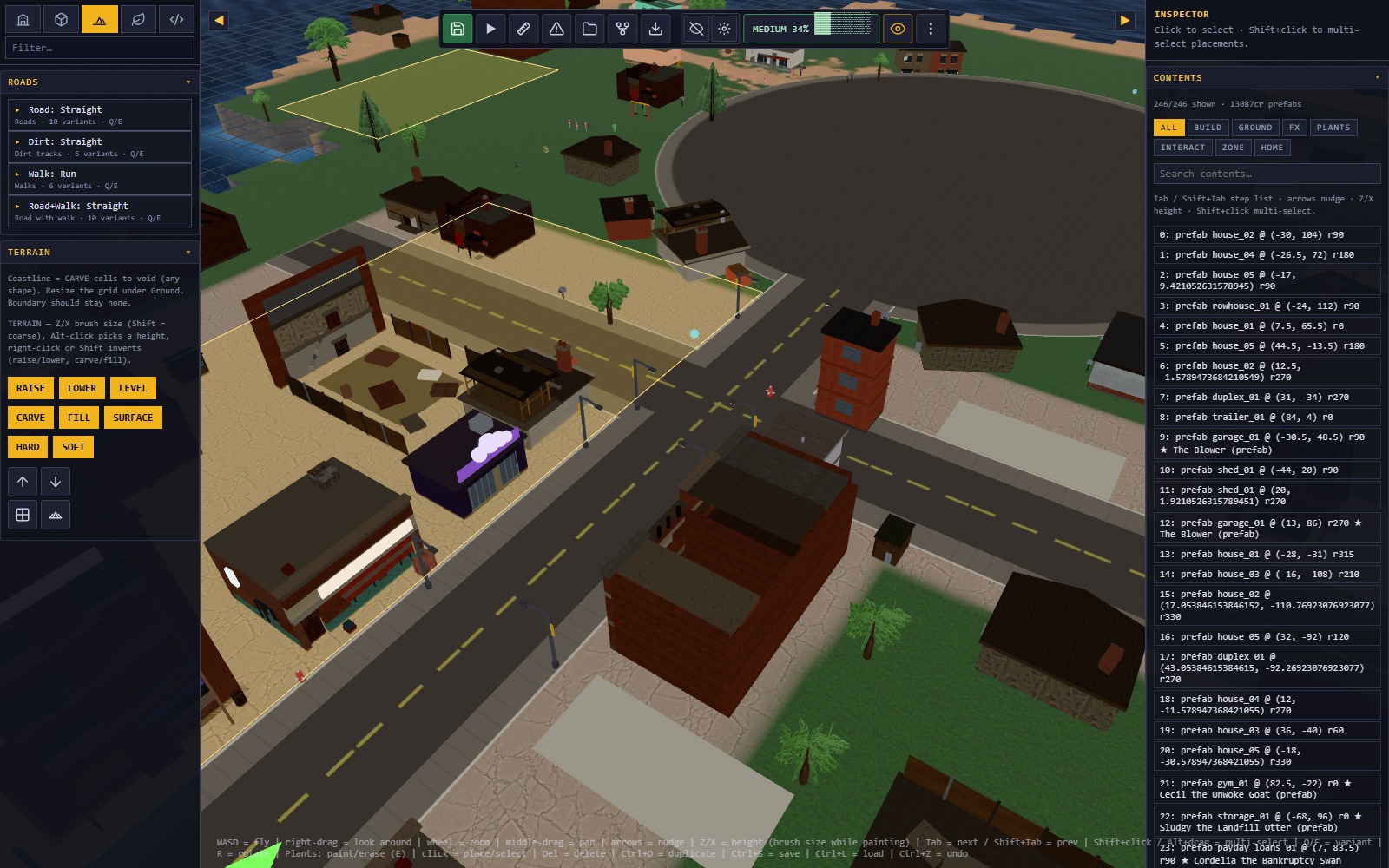
- Shape the ground first. Paint terrain before you place anything. Moving a building later is one drag; moving a coastline out from under forty buildings is an afternoon.
- Place from the palette. Tiles show a render of the actual prefab, so you can pick by eye instead of by id.
- Press T for a plan view when you are laying out streets. Press it again to return to your working angle.
- Hit ▶ Playtest. It drops you into the game at whatever the camera is looking at — the fastest way to find out that your jump is two metres short.
- Save (Ctrl+S) when it stands up.
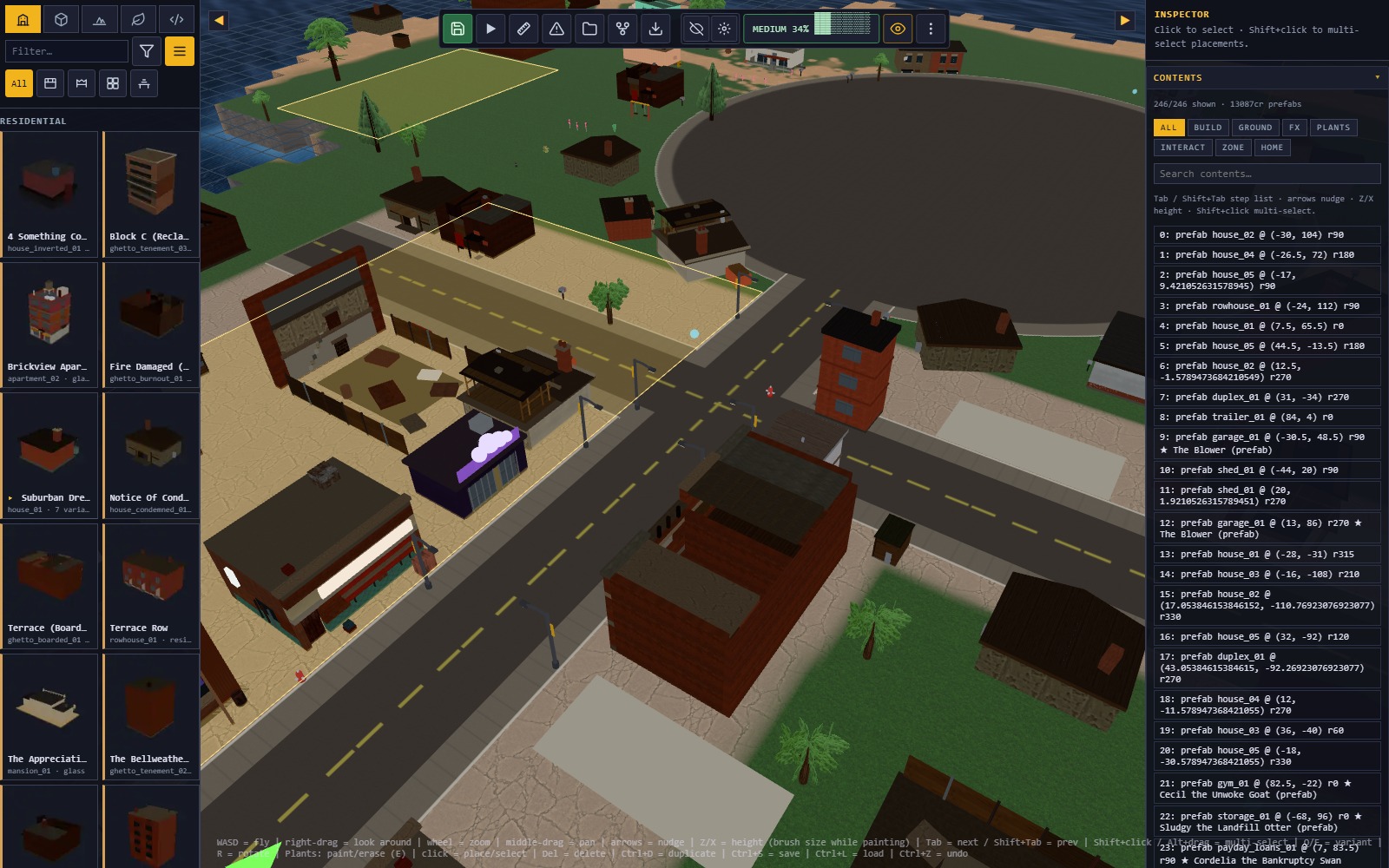
The editor keeps a working copy in your browser and the game plays that copy, so you do not have to save to test. The chip in the corner tells you whether what you are playing is your unsaved draft or the saved file.

The Problems panel
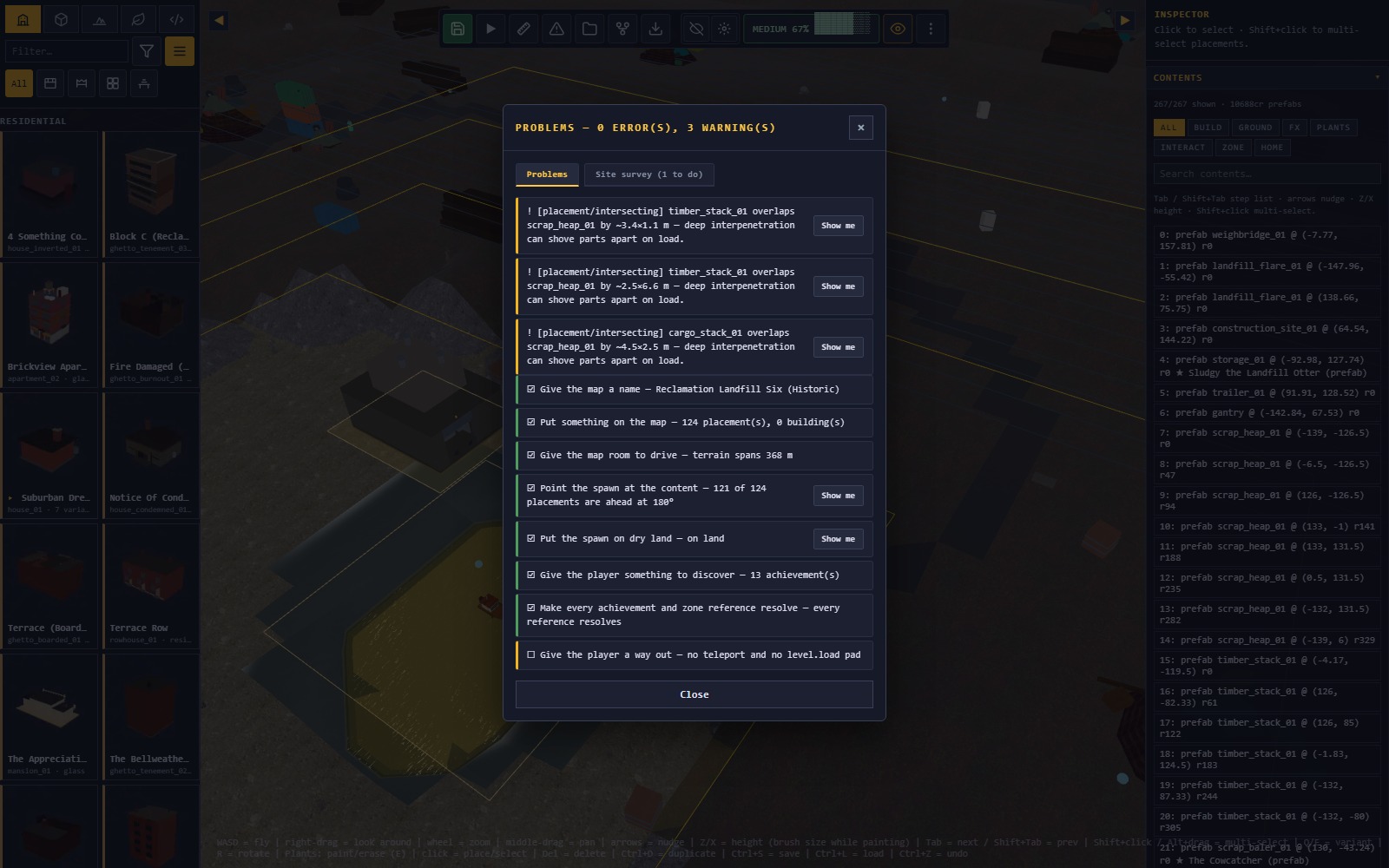
The ⚠ button checks your map for the mistakes that are invisible until someone plays it. Each row with coordinates has a Show me button that flies the camera there.
- Dead tag — a zone waits on a tag nothing in the map carries, so it can never fire. This is the single most common reason a gate "does nothing".
- Ground disagreement — your map holds two versions of where the land is. The game drives on one of them. Fix before you place anything else.
- On open water — a building standing on the sea. It will not fall (the game founds it anyway), it will just look wrong.
- Portal with no key — a teleport gated behind a flag that no zone ever sets.
A map with errors can still be saved and played. It cannot be published: the marketplace runs the same checks on upload.
Scripting: triggers and actions
Maps are scripted with zones — rectangles on the ground that watch for something and then do something. There is no scripting language and there will never be one: an action vocabulary is safe for players to download, and arbitrary code is not.
Every zone is one sentence: when TRIGGER, do ACTIONS.
Triggers — when
| Trigger | Fires when |
|---|---|
destroyTag | everything carrying a tag is destroyed |
enterZone | the player drives into the rectangle |
enterAirborne | …with all four wheels off the ground |
speedInZone | …at or above a speed you set |
dwellZone | the player stays inside for N seconds |
explosionCount | N explosions have gone off |
flagSet | another zone raised a flag |
counterAtLeast | a counter you keep has reached N |
Actions — what happens
| Action | Effect |
|---|---|
toast | a line of text on screen |
setFlag / clearFlag | remember something for the rest of the shift |
destroyTag | destroy everything carrying a tag, wherever it is |
unfence | drop a zone's fence — opens an area |
makeBreakable | turn indestructible scenery into a target |
grantAchievement | award one of your map's achievements |
powerup | hand the player a temporary boost |
counter | add to (or subtract from) a named tally |
spawnPrefab | drop a building or prop into the live world |
bark | a line of radio from MGMT or a contact |
focus | glance the camera at something |
Every action can wait. Each one has an after box — leave it blank for "now", or put in a number of seconds. That is how you write a sequence instead of a switch: the shutter drops immediately, the alarm starts two seconds later, the toast lands after that.
Counting things
"Flatten any five of these" used to need five tags, five zones and five
flags. Instead, give one zone the counter action
(turn Fire once per shift OFF so it can fire repeatedly), and
gate the payoff on counterAtLeast:
Zone "tally"        (once: off)
  when   destroyTag: shed
  do     counter: warehouses +1

Zone "payoff"
  when   counterAtLeast: warehouses reaches 5
  do     toast: "THAT'S THE BLOCK"
         setFlag: block_cleared
Counters are numbers, not switches — by can be negative, so a
map can also track something being undone. Like flags, they last for the
shift and reset when the player leaves.
A worked example
A locked government lab. The player cannot get in until they knock out the radio mast jamming the door — two zones, one flag:
Zone "jammer"
  when   destroyTag: radio_mast
  do     destroyTag: lab_shutter      (the bay door drops)
         setFlag:    lab_open
         toast:      "SHUTTER DOWN — THE LAB IS OPEN"

Zone "lab_doorstep"
  when   enterZone
  do     toast: "SOMETHING IN THERE IS STILL HUMMING"
The mast and the shutter are ordinary placements; you give them the tags
radio_mast and lab_shutter in the inspector.
That is the entire trick — tags are how one object refers to
another, and they work at any distance.
Waves, voices and where to look
Three actions turn a static site into something that happens to you.
spawnPrefabdrops real, smashable geometry into the world mid-shift — at the zone centre unless you give it a position. Height comes from the ground underneath, so you never have to know the terrain. Give the spawn a tag and another zone can watch for it being destroyed: that is a wave. One zone fire can spawn at most 24 things.barkputs a line of radio on screen in someone's actual voice. Pick MGMT for the intercom, or any contact from the comms dial — you borrow the cast, you don't invent a person.focusswings the camera to look at something for a couple of seconds. The car keeps driving and you keep control; it is a glance, not a cutscene. Use it with a delay so the player looks up exactly as the wall comes down.
Zone "the_yard"
  when   enterZone
  do     bark:        MGMT (smug) "Company property. Enjoy."
         spawnPrefab: prop_burn_barrel  tag: wave1
         spawnPrefab: prop_burn_barrel  tag: wave1   at: 20, 0
         focus:       2s                             after: 0.5

Zone "yard_clear"
  when   destroyTag: wave1
  do     toast: "YARD CLEAR"
Flags, and what community maps can't do
Flags set by zones last for the shift and reset when the player leaves. That is deliberate: it means a map can run an elaborate multi-stage sequence without leaking into anyone's campaign save.
If your pack ships contracts, those can grant flags that
persist — but they are filed under your pack's own name
(pack:your-slug:your_flag) and cannot touch the main
campaign's progression. Your maps can gate on each other freely; they
cannot unlock Region 4. This is not a restriction on what you can build
inside your own world, and it is the reason we can let anyone publish.
Publishing
- Save the map, then bundle it as a pack from the editor.
- Upload it to the marketplace.
- The server re-runs the Problems checks, loads the map into a real physics world, and lets it settle. If anything collapses on its own or a check errors, the upload is rejected with the reason.
- Warnings do not block you — they show on your listing, so players know what they are getting.
Budgets exist and they are generous — roughly ten times the biggest map we ship. If you hit one, the map is almost certainly slow to play as well as slow to load.
Stuck?
File a support request with your pack slug. Include the Problems panel output if you have it — it answers most questions before anyone has to open your file.